


Visible Body Suite
4.559.00 Reviews
App Specs
- Version
- 7.001.019
- Updated On
- License
- Free
- Downloads
- 100,000+
- Developer
- Visible Body Apps LLC
- Categories
- Medical
- Platform
- Android
Screenshots
 Analysis by AppCompare
I use anatomy apps most when a diagram in a book stops being enough: a structure is hidden, two parts overlap, or I need to understand how a region looks from another angle. Visible Body Suite is built for that kind of visual study. It gives me a way to move around a three-dimensional body model rather than treating anatomy as a set of flat labels, which makes it especially useful when I want to connect individual structures to the larger system around them.
A sensible routine for studying a structure
My most reliable approach is to begin with a question, not with the entire model. I might want to locate a particular muscle, understand where it sits in relation to nearby bones, or follow how a system connects across the body. Starting with one goal keeps the amount of detail manageable. I then rotate the view, zoom in, and reveal or remove layers as needed, checking the same area from more than one direction before moving on.
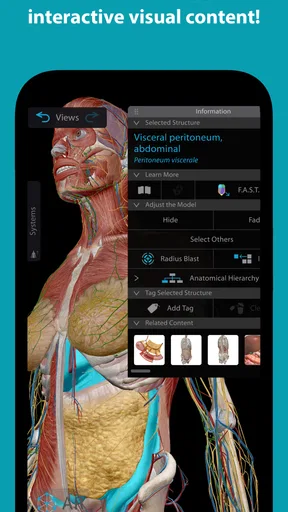
That sequence matters because a convincing 3D model can still be misleading if I only look at it from the front. A structure that seems clearly separate in one view may sit behind another or continue farther than expected. I get more from the app when I pause to inspect a second angle and then restore the surrounding anatomy. The point is not just to recognize a label, but to understand what lies next to it and how the parts fit together.
What to check before a study session
The app is free to install, while access to its subscription content is tied to in-app purchases. I would check the available access and purchase options before building a study routine around material I may need regularly. The listed in-app purchase range runs from $34.99 to $199.99 per item, so it is worth deciding whether I need occasional reference or sustained access before spending. For a short anatomy refresher, a textbook or a freely available reference may be enough; for repeated visual exploration, a dedicated 3D tool can justify a closer look.
I would also take a moment to adjust how I view and read the material before a long session. Small labels are easy to overlook when I am zoomed into a busy region, and changing text size or highlighting key structures can make a real difference. Rather than turning on every aid at once, I prefer to use highlighting when I am learning a new group of structures and switch it off when I want to test whether I can identify them unaided. That simple change keeps the view readable without letting visual cues do all the work.
Repeatable habits that save time
For exam revision, I find it more useful to revisit the same region in short passes than to wander through the whole body. I first identify the major structures, then inspect their relationships, and finally use a quiz to check what I can recall without relying on the model. If I miss something, I return to that specific area rather than restarting from the beginning. This makes the interactive material feel like a study loop: observe, name, test, and correct.
Audio pronunciations are particularly handy for terms I recognize on sight but hesitate to say aloud. I listen, repeat the word, and then find the structure again in the model. That combination is a practical way to prepare for a class discussion or a clinical learning environment, where knowing a term silently is not quite the same as being comfortable using it. The app can support that practice, although I would still use course materials for definitions and context beyond the model.
Worth Reading Before You Choose

EA SPORTS FC Mobile 26 Is a Bigger Football Game, but It Takes Time

Flipboard Shows What News Apps Must Do Beyond the Feed

Switching to Android Auto Means Rethinking Your Driving Routine

Google Calendar Makes a Crowded Week Easier to Manage

Ludo King Makes the Most of the Minutes Between Plans

Baby Panda World Brings Quick Play to Modern Phones, but Its Game Library Feels Busy
Where it fits—and where it does not
For a student who needs to picture depth and spatial relationships, this is more engaging than flipping between static textbook images. A textbook can be faster for a concise explanation, and a labelled diagram may be easier when I only need a quick fact. The 3D approach earns its place when I need to rotate a region, peel back layers, or compare one structure with its neighbors. It is less useful if I want a complete course plan, a clinical decision tool, or a substitute for instruction from a qualified teacher.
It can also feel like a lot for someone encountering anatomy for the first time. I would not recommend opening every system and trying to memorize everything in one sitting. Pick a region that matches a current class topic, keep the objective narrow, and use the guided material to get oriented before exploring independently. For a casual learner, curiosity is enough to begin, but a small question—such as how a joint is arranged—makes the experience much less overwhelming.
Who gets the most from it
I see the strongest fit for medical and health-science students who already have a syllabus or textbook and want a clearer mental picture of what they are studying. Teachers may also find a movable model useful when explaining spatial relationships, while healthcare professionals can use it for a visual refresher. The app is rated for Everyone, but that broad age rating should not be confused with beginner-friendly instruction: the amount of anatomical detail still rewards patience and a little direction.
On a typical study day, I might review a lecture topic between classes, rotate the relevant region to check what sits behind a visible structure, and finish with a quiz before returning to my notes. That is a more realistic role for the app than expecting it to replace a lecture or textbook. It is a companion for visualizing and revisiting anatomy, and I get the best results when I bring a specific question to it.
First Impressions
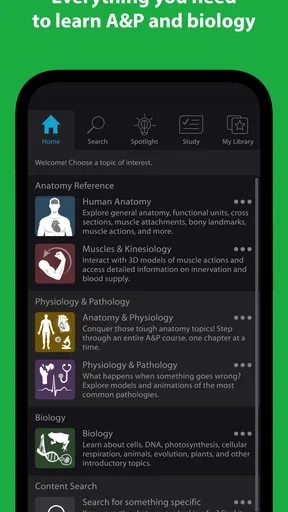
As soon as I launched the app, I was greeted with a sleek interface that felt both modern and intuitive. The app is clearly designed with the user in mind, making navigation a breeze. The vibrant 3D models immediately caught my eye, and I found myself eager to dive in and start exploring.
Exploring the Features
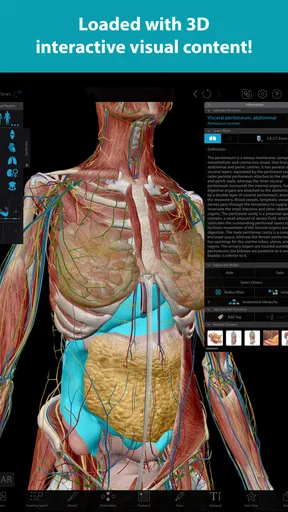
The app is packed with features that cater to a variety of learning needs. You can zoom in on intricate details, rotate models for a 360-degree view, and even dissect structures layer by layer. It's like having a virtual dissection lab in your pocket! What I love most is the ability to view systems individually or as a whole, allowing for a comprehensive understanding of how everything fits together.
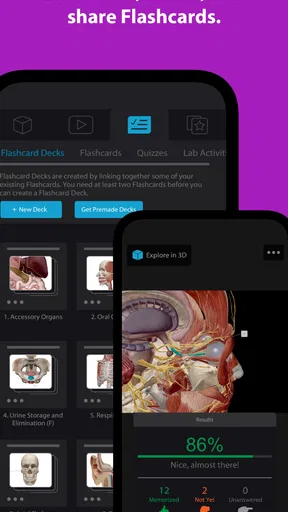
Another standout feature is the interactive quizzes. They're a fun way to test your knowledge and reinforce learning. Plus, with detailed descriptions and audio pronunciations, you're not just seeing the anatomy — you're hearing and understanding it too.
Usability and Accessibility
The app runs smoothly on both Android and iOS, with no noticeable lag or glitches. It's also designed to work offline, which is a huge plus for those study sessions without Wi-Fi. The developers have clearly put a lot of thought into making this app accessible to everyone, regardless of their level of tech-savviness.
For those who might struggle with small text or images, the app includes adjustable text sizes and an option to highlight key structures. This ensures that everyone can learn at their own pace and comfort level.
The Learning Curve
While the app is incredibly comprehensive, it might be a bit overwhelming for absolute beginners. There's so much information available that it's easy to get lost. However, for anyone with a basic understanding of anatomy, the app is a treasure trove of information. The tutorials and guided tours are handy for easing into the more complex content.
Who Will Love This App?
Whether you're a student cramming for exams, a teacher looking for a dynamic teaching tool, or just someone with a passion for understanding the human body, this app has something to offer. It's also a great resource for healthcare professionals who want a quick refresher on certain anatomical structures.
What really sets it apart is its ability to adapt to different learning styles. Visual learners will appreciate the detailed 3D models, while auditory learners can benefit from the audio guides. It's like having a personal anatomy tutor available 24/7.
Final Thoughts
All in all, this medical learning app from Visible Body Apps LLC is a strong option for anyone serious about studying anatomy. It is free to install, has an average rating of 4.5 from around 1.3 thousand ratings, and has passed 100 thousand installs. Its current version is 7.000.043, and it was released on March 7, 2022. Those figures suggest it has found an audience, but the better reason to consider it is the way its interactive models support focused visual study.
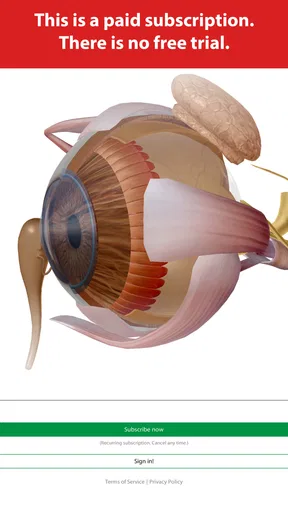
The subscription model is the main practical consideration: installation costs nothing, but continued access to subscription material can involve purchases. If you need only a quick answer now and then, a conventional anatomy reference may be the more economical, straightforward choice. If you expect to revisit structures and learn their spatial relationships, the interactive approach can make the expense easier to weigh against your actual use.
My recommendation is to treat it as a study companion, not an all-purpose medical resource. Use it to orient yourself, test recall, and build a more accurate mental image; turn to your course text or instructor when you need fuller explanations or guidance. It takes a little discipline to avoid getting lost in the detail, but with a repeatable routine and a clear question, I find it a worthwhile way to explore anatomy.
Pros
- Comprehensive 3D anatomical models.
- Intuitive user interface.
- Regular content updates.
- Cross-platform compatibility.
- Offline access available.
Cons
- Requires significant storage space.
- Subscription model for full access.
- Occasional loading delays.
- High initial learning curve.
- Limited free content.
FAQs for Visible Body Suite
What is Visible Body Suite and what does it offer?
Visible Body Suite is a comprehensive 3D visualization app designed for medical students, professionals, and educators. It offers an extensive library of detailed 3D anatomical models, animations, and interactive tools to explore the human body. Its features aid in understanding complex systems and functions, making it a valuable resource for anyone interested in human anatomy.
Is Visible Body Suite suitable for beginners in anatomy studies?
Yes, Visible Body Suite is designed to cater to various levels of expertise, from beginners to advanced users. It provides intuitive navigation and user-friendly tools that make it easy for beginners to explore and learn. Additionally, it includes informative descriptions and tutorials to help users understand the basics of anatomy.
What platforms is Visible Body Suite available on?
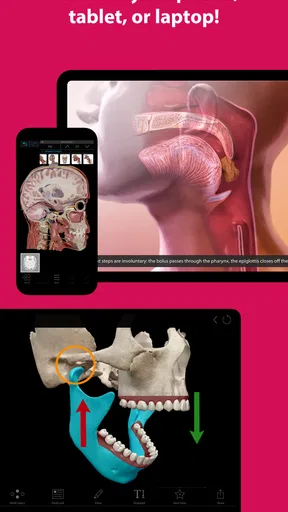
Visible Body Suite is available on both Android and iOS platforms, making it accessible on a wide range of devices. Whether you're using a smartphone or a tablet, you can download and install the app from the respective app stores. Its cross-platform availability ensures flexibility for users who switch between devices.
Does Visible Body Suite require an internet connection to function?
While Visible Body Suite can be used offline, certain features and updates may require an internet connection. For instance, accessing the latest content updates, syncing data across devices, or utilizing cloud-based features would need connectivity. However, the core anatomical models and tools are available offline after initial download.
Are there any in-app purchases or subscription fees for Visible Body Suite?
Visible Body Suite may offer in-app purchases or subscription options to unlock additional features, content, or updates. Users should review the pricing details on the app's page in the app store to understand any potential costs. Subscription plans often provide access to premium content and regular updates.


